Show people how tanpawm works. Use it ad-free for 3 months.
Post a short guide video about tanpawm.com on YouTube,
YouTube Shorts, TikTok, Instagram Reels or Facebook. If it meets the
conditions below, we email you a promo code that turns ads off for three
months — no account, no payment.
What your video needs
At least 30 seconds long — a real walkthrough, not just a mention.
Vertical 9:16. Landscape is fine if you are filming a desktop screen.
300+ followers on the account you post from.
Public, with tanpawm.com written in the description.
Stays online for 3 months. If it comes down, the code stops working.
Record the guide. Paste a link, pick a quality, download —
show it the way you would explain it to a friend.
Post it publicly and put tanpawm.com in the description,
together with these tags. The #ad tag is required — it
discloses that you received something in return:
tanpawm.com #ad #tiktokvideodownloader #tiktokvideodownload #tiktokdownloaderwebsite #tiktokwithoutwatermark #videodownloader
Send it to us. Paste the video link and your email address below,
then press Apply.
Get your code by email within 72 hours. Open
I already have a code, type it in, press Activate.
We only use your address to send the promo code and nothing else.
Reviews take up to 72 hours. By submitting this form you accept our
Campaign Terms,
Terms of Use and
Privacy Policy.
Paste the code from your email. It works on up to 2 devices —
your phone and your computer. By activating a code you accept our
Campaign Terms,
Terms of Use and
Privacy Policy.
✦Ad-free is activeAds are off on this device.
tiktok highlight downloader
download highlight TikTok albums in HD, without the watermark.
The online highlight downloader TikTok fans rely on: enter any public @username to open every highlight album and save its videos, photos and sounds in seconds — no app, no login.
Free TikTok Highlight Downloader Online – Save Highlight Albums in HD
TikTok highlights keep a creator's best stories on their profile long after the 24-hour story
window has closed, grouped into albums such as travel, tips or behind the scenes. tanpawm is a free
tiktok highlight downloader that opens every album on a public account, so you can
download highlights TikTok creators pin to their profile and keep each video, photo
and sound in its original quality, always without the TikTok watermark.
It works as a TikTok highlight downloader by username: type a name, pick an album and
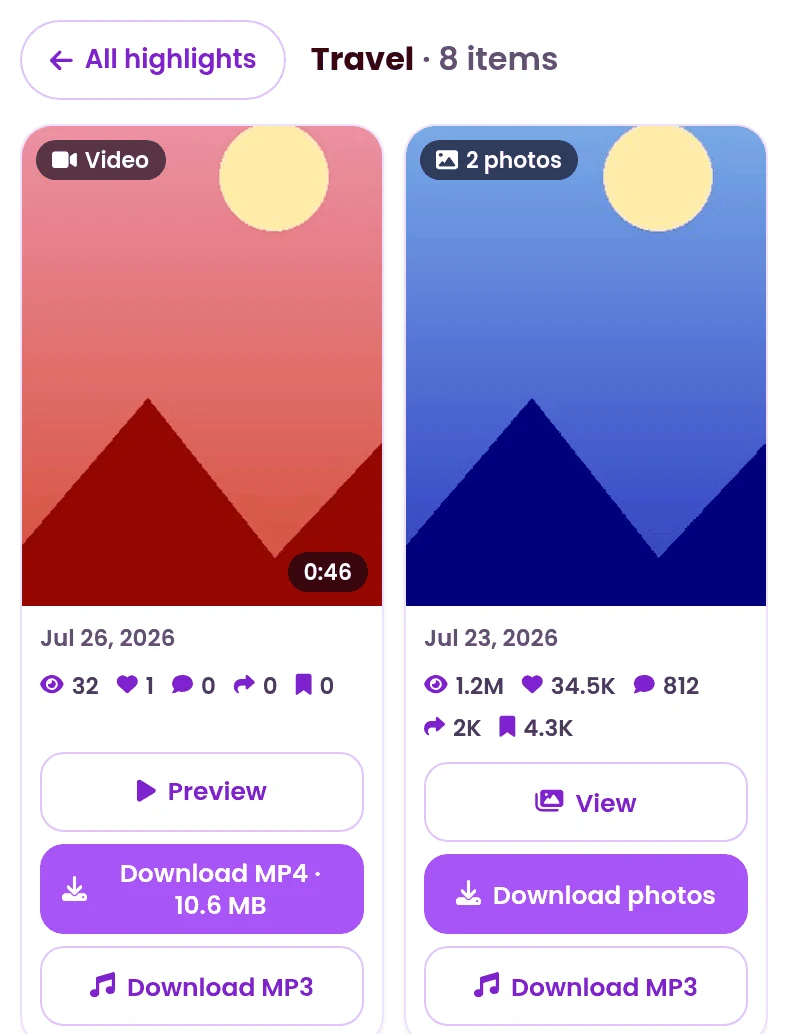
browse its items in a clean grid that shows the date, views, likes and duration of every post.
Preview a video before you keep it, flip through photo posts one image at a time, or save just the
audio as MP3. It all runs in your browser on Android, iPhone and desktop, and every download is meant
for personal, offline viewing.
Why Choose the tanpawm tiktok highlight downloader?
Every Album, Every Item
A true TikTok highlights downloader: open all albums of an account at once and load even the largest album page by page with Load more.
HD & Without Watermark
Every tiktok highlight download keeps the original quality and comes clean, without the TikTok logo.
Video, Photo & MP3
Download a TikTok highlight video as MP4, save photo posts image by image, or keep just the sound as MP3 — whatever you need.
Preview & Details
Watch a preview and check the date, views, likes, comments and duration of each item before you save it.
A TikTok Highlight Saver for Offline Viewing
Highlights are the part of a profile a creator chooses to keep: tutorials, trips, launches and
favourite moments. When you want to watch them again later without a connection, this
tiktok highlight saver keeps them in a few taps — far better than a screen recording
that loses quality and captures the buttons on your screen.
There is nothing to install and no account to create. tanpawm only reads public highlights, shows
you exactly what an album contains before you download anything, and keeps the original files
untouched. It is 100% free, works in every modern browser, and pairs well with our
TikTok story downloader and
profile picture downloader.
Note: An ad opens only when a download starts, so you can browse
every album without interruption. This keeps tanpawm online and free for everyone.
Everything You Can Download With tanpawm
One TikTok downloader: highlights, stories, videos, photos, slides, profile pictures and
audio, all in one place. No app, no login, no watermark.
TikTok Video Downloader HD – Without Watermark
Paste any link to download video TikTok HD in original MP4 quality.
Our TikTok watermark remover strips the logo automatically, so you
save TikTok video files clean and ready to watch offline. Works as a fast
TikTok to MP4 converter on Android, iOS and desktop.
Use the TikTok photo downloader to save single images posted on
TikTok in their original resolution. Every photo downloads without the TikTok
watermark, keeping colours and detail exactly as the creator uploaded them.
A dedicated TikTok saver for slideshow posts. Download every image
in a slide separately, or convert the whole slideshow into a video with its original
sound. It is the simplest way to save video TikTok slides without
screenshots or quality loss.
TikTok Profile Picture Downloader – Full HD Avatars
TikTok shows avatars in a small, compressed size. Enter any public username to
download the profile picture at the highest resolution available — perfect for
previews, thumbnails or archiving a creator's branding.
Turn any clip into audio with our TikTok to MP3 converter.
Download audio TikTok tracks, viral sounds and original music in
clean MP3 format — ideal for offline listening or reusing a sound in your own edits.
Paste a username to download story TikTok content before it expires
after 24 hours. tanpawm works as a full TikTok saver for both video
and photo stories, letting you preview each one and keep it in original quality
without watermark.
TikTok Highlight Downloader – Save Highlight Albums
Enter a username to open every TikTok highlight album on a public
profile. Preview videos, flip through photo posts and save each item in HD
without watermark — including just the sound as MP3.
Open an album, then tap Download on any video, photo or sound to save it in HD.
Preview — Watch a video highlight before you save it.
Download MP4 — Save a video highlight in HD without watermark.
View / Download photo — Open a photo post and save each image separately.
Download MP3 — Keep only the sound of a highlight item.
Load more — Show the next items of a large album.
Your tiktok highlight download starts right away and the file lands in your browser's Downloads folder, ready for personal, offline use. Thank you for using tanpawm!
Use tanpawm ad-free for 3 months
Record a short guide showing how you save tiktok highlights with this tiktok highlight downloader, post it publicly, and we email you a promo code that switches ads off for three months. See how it works →
Downloads are intended for personal, offline use only. Please respect the original
creator's rights. By using tanpawm you accept our
Terms of Use and
Privacy Policy.
Supported URL Formats
@username
https://www.tiktok.com/@username
https://www.tiktok.com/@user/video/123
https://vm.tiktok.com/AbCdEf/
https://vt.tiktok.com/AbCdEf/
The tiktok highlight downloader is built around a username, so you can download
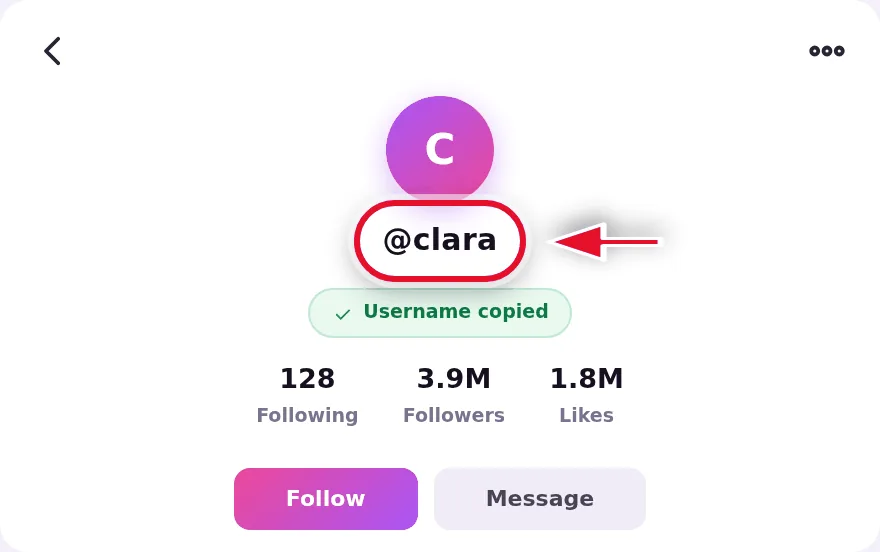
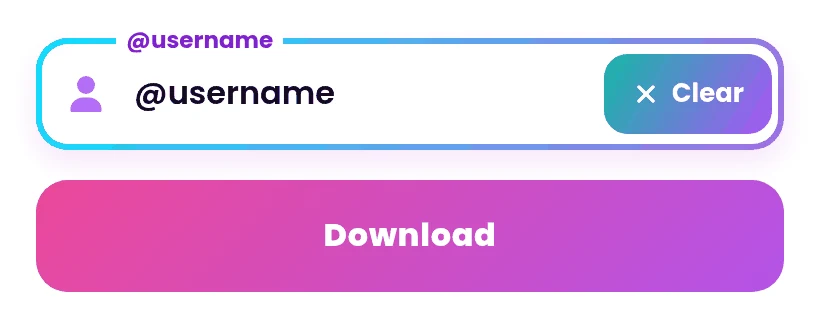
TikTok highlights by username alone: type @username or paste a profile link
(tiktok.com/@username) and tanpawm opens that account's highlight albums. Pasted
something else by mistake? It still works. A video, photo or sound link — the full
desktop link (tiktok.com/@user/video/123) or a short mobile URL
(vm.tiktok.com/AbCdEf/, vt.tiktok.com/AbCdEf/) — is recognised automatically
and handled as a regular download, so you never have to switch pages first.
Supported Operating Systems & Devices for TikTok Highlight Downloads
Android devices
iOS devices (iPhone & iPad)
Windows PC
macOS
Linux
tanpawm works flawlessly on all modern browsers—Chrome, Safari, Edge, Firefox, and Opera—so this
TikTok highlight downloader online opens highlight albums, previews them and saves
every video, photo or sound in HD on desktop or mobile devices, with nothing to install.
Note: For a seamless TikTok download experience on iOS, please use Safari or Chrome.
TikTok Highlight Downloader Not Working? Quick Fixes
If highlights do not load the way you expect, the message on screen usually points to one of these.
“This account has no highlights”
The account has no highlight albums, or they are hidden. Check the profile in TikTok, or try another public account.
“This account is either private or doesn't exist”
Highlights are only available from public accounts. Make sure the username is spelled correctly and the account is public.
An album shows fewer items than expected
Large albums load page by page. Scroll to the end of the list and tap Load more to see the rest.
The MP3 button says “Processing…”
Some sounds are prepared on demand. Wait a few seconds; when the button says MP3 link ready, tap it again to download.
“Slow down for a moment”
Too many requests arrived in a short time. Wait about 30 seconds, then try again.
A photo highlight has no sound
The post was published without sound. You can still save every photo, and Download as video builds a silent MP4.
Can I download TikTok highlights without watermark?
Yes. tanpawm is a tiktok highlight downloader that saves every video and photo in its original HD quality, clean of the TikTok watermark.
How do I download a TikTok highlight?
Enter the username, tap Download and open one of the highlight albums. Then tap Download on the video, photo or sound you want to save.
Can I download TikTok highlights by username?
Yes. tanpawm is a TikTok highlight downloader by username: type @username or paste the profile link, tap Download and every public highlight album of that account appears. You never need a video link.
Can I see a whole highlight album?
Yes. tanpawm lists every item of an album. Large albums load in pages — tap Load more to see the rest — and you save each item individually, so you keep exactly what you want.
Can I download a TikTok highlight video as MP3?
Yes. Every item has a Download MP3 button. If the sound is not ready yet, tanpawm prepares it in a few seconds; tap again when the button says MP3 link ready.
Can I save photo highlights or turn them into a video?
Yes. Open a photo item to view each image with its sound and save the pictures one by one, or tap Download as video to get the photos as a single MP4 with the original sound.
Does it work with private accounts?
No. Only highlights from public accounts can be opened. Private accounts and deleted or hidden albums are not available.
Is there a Tik Tok highlights downloader that works online?
Yes — tanpawm is a TikTok highlights downloader online. It runs in Chrome, Safari, Edge, Firefox and Opera, so a Tik Tok highlight download works on Android, iPhone and desktop with nothing to install.
Is the TikTok highlight downloader free?
Yes, tanpawm is 100% free with no app to install and no login required. An ad opens only when a download starts.
Where are my TikTok highlights downloaded?
Your TikTok highlights are downloaded to your browser's default Downloads folder. Open your browser's download history on phone or desktop to find the files.
This website uses cookies and third-party advertising technologies to keep our services free. By using this site, you agree to our Privacy Policy.

 How to Use?








 Android devices